Introducing True Page View
July 29, 2026
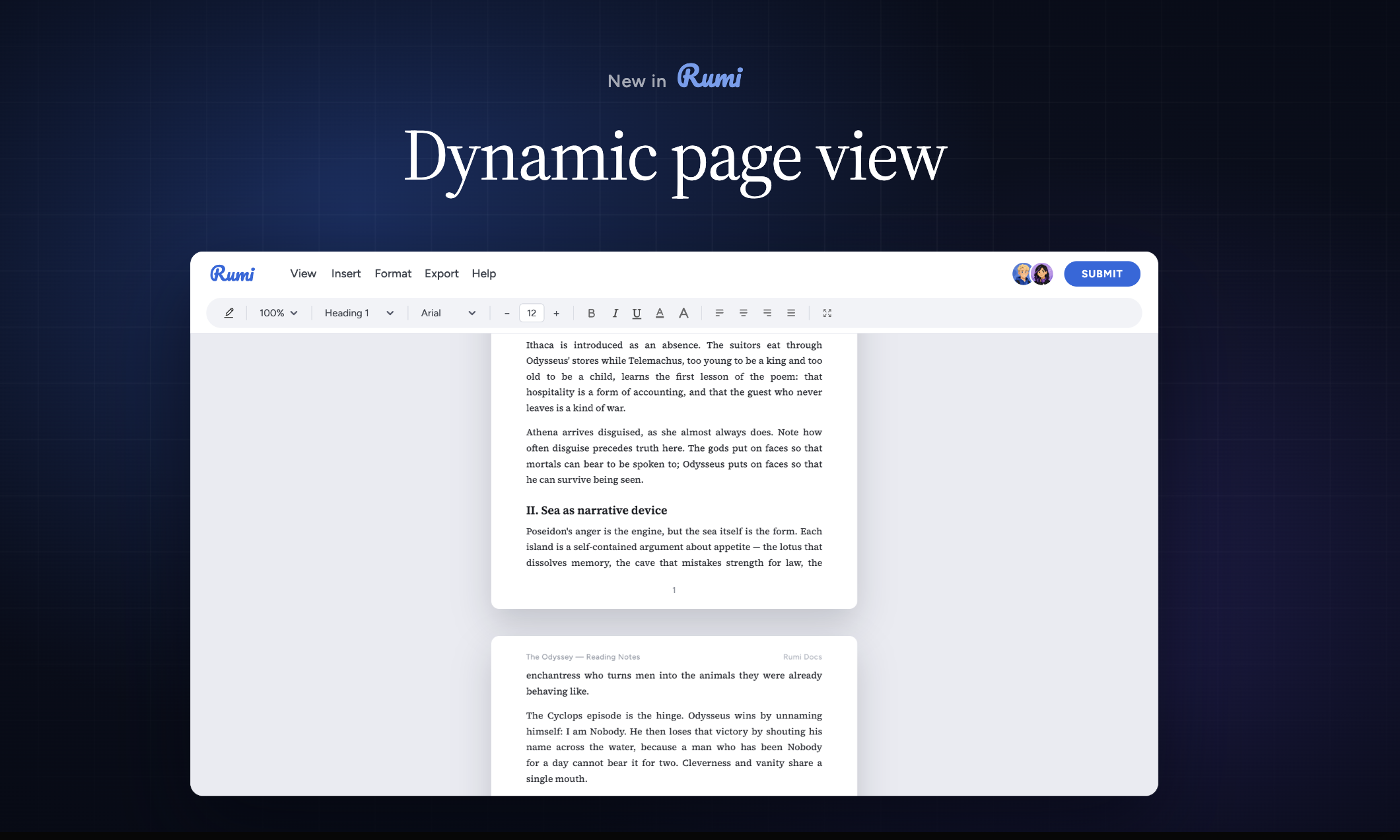
Introducing True Page View in Rumidocs
When you open a web browser, you are stepping into a fluid, infinite canvas. HTML and CSS were designed to flow continuously down your screen, adapting to whatever device you happen to be holding.
That continuous flow is great for reading articles, but it breaks down when applied to academic writing. Classrooms run on page counts, standard margins, running headers, and footers. For months, bridging that gap in web-based rich text editors meant either settling for a static print preview or wrestling with clunky workarounds.
Today, we’re launching True Page View (Beta) in Rumidocs—giving instructors and students access to a true, paginated document layout inside their browser.
What’s New in True Page View
With Page View enabled, Rumidocs moves away from the continuous document stream and renders text onto discrete visual pages—just like traditional desktop word processors or Google Docs.
Here is what students and instructors can do with the new feature:
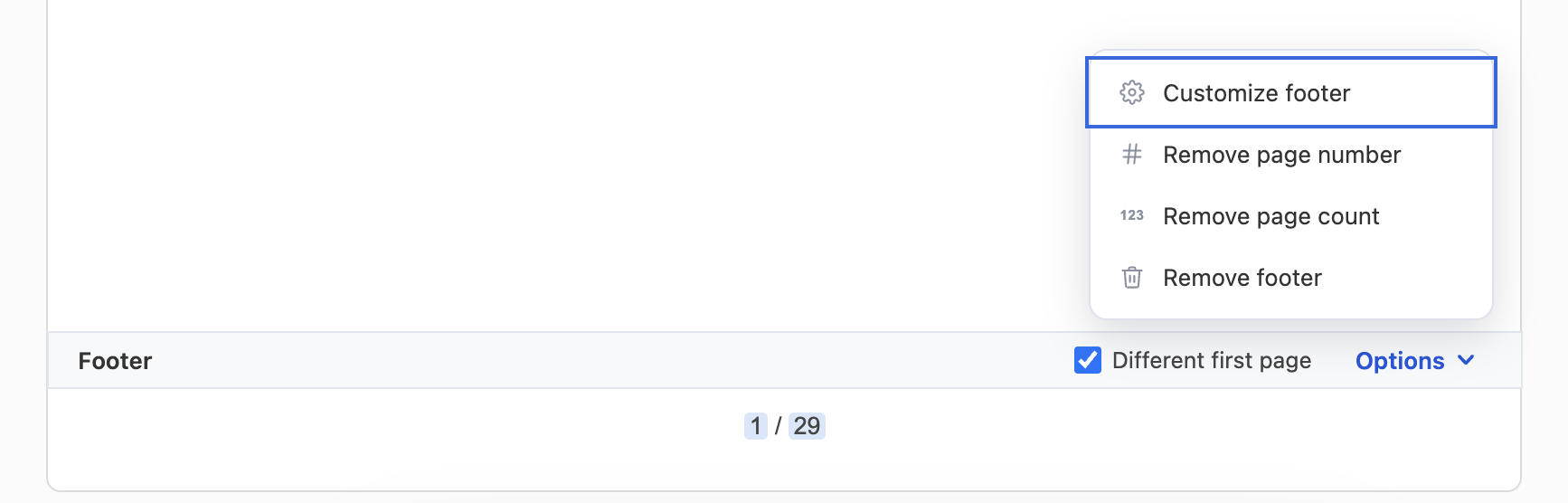
- Custom Headers & Footers: Students can now add running page headers and footers, page numbers, and assignment metadata directly on the page layout.
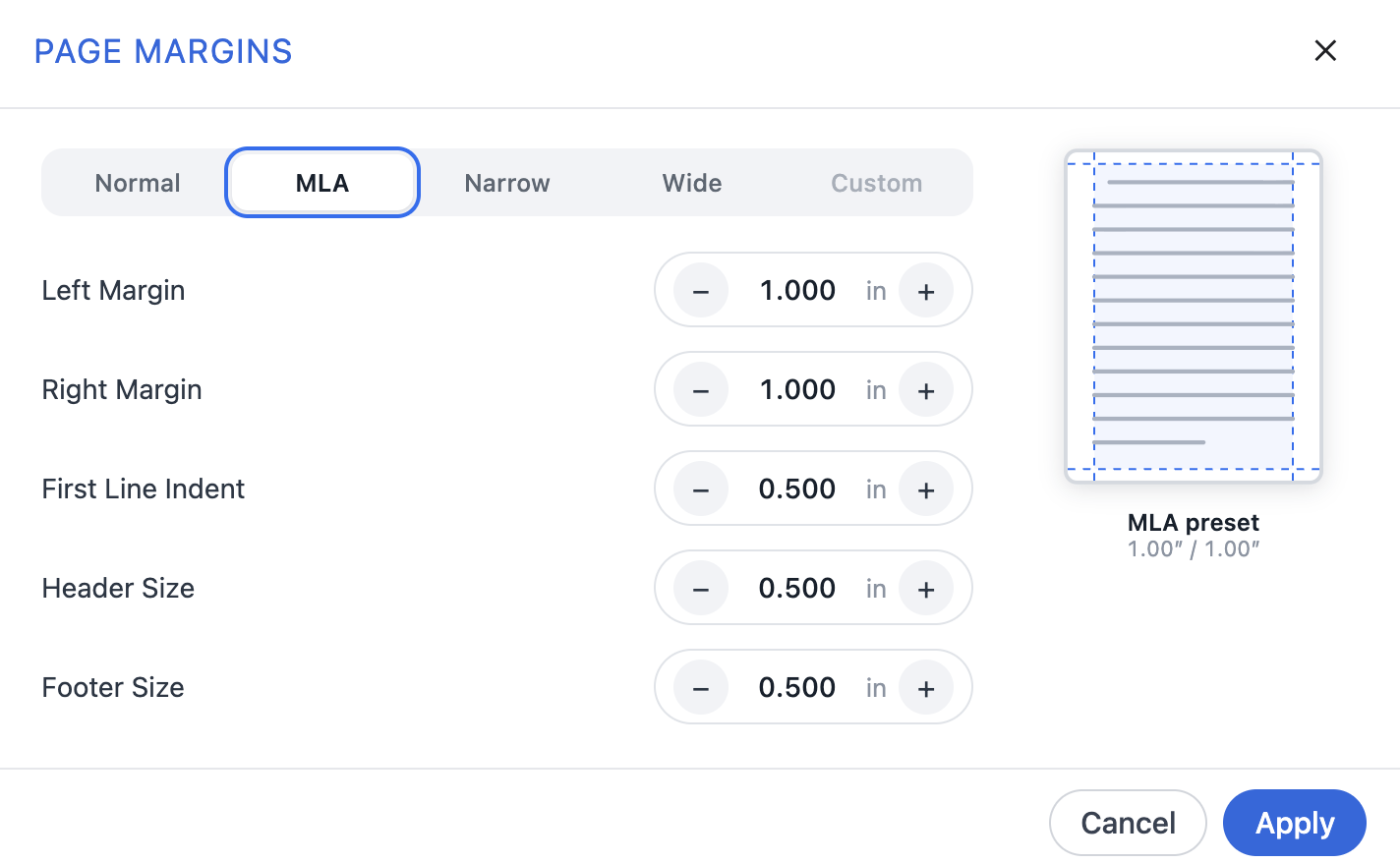
- Granular Margin Settings: Easily adjust top, bottom, left, and right margins to meet specific academic formatting guidelines (e.g., MLA, APA, or custom course styles).
- Real-time Page Breaks: As students type, content flows naturally across page boundaries in real time without lag or layout shifting.
Quick Look at the Interface:
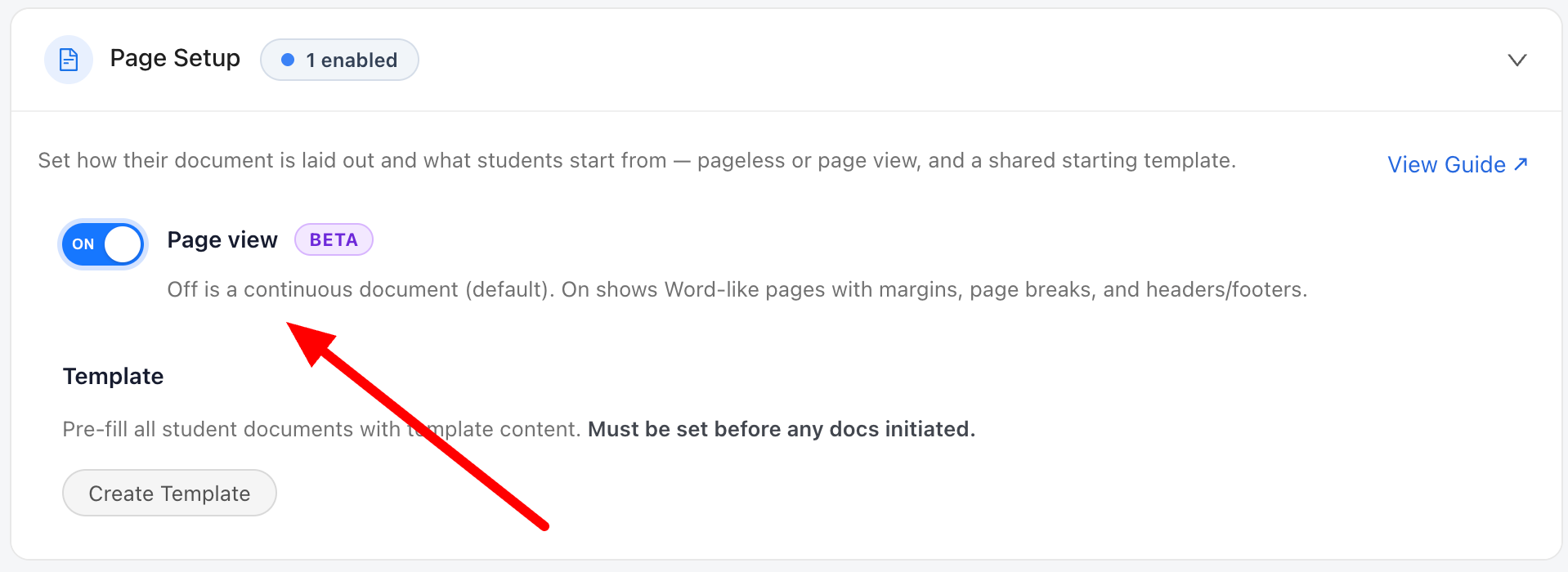
Instructors turn it on per assignment. Open your assignment settings, toggle on Dynamic Page View (Beta), and save. Students opening the assignment get the paginated editor automatically.
Students set running headers and footers directly on the page, live in the document.
Header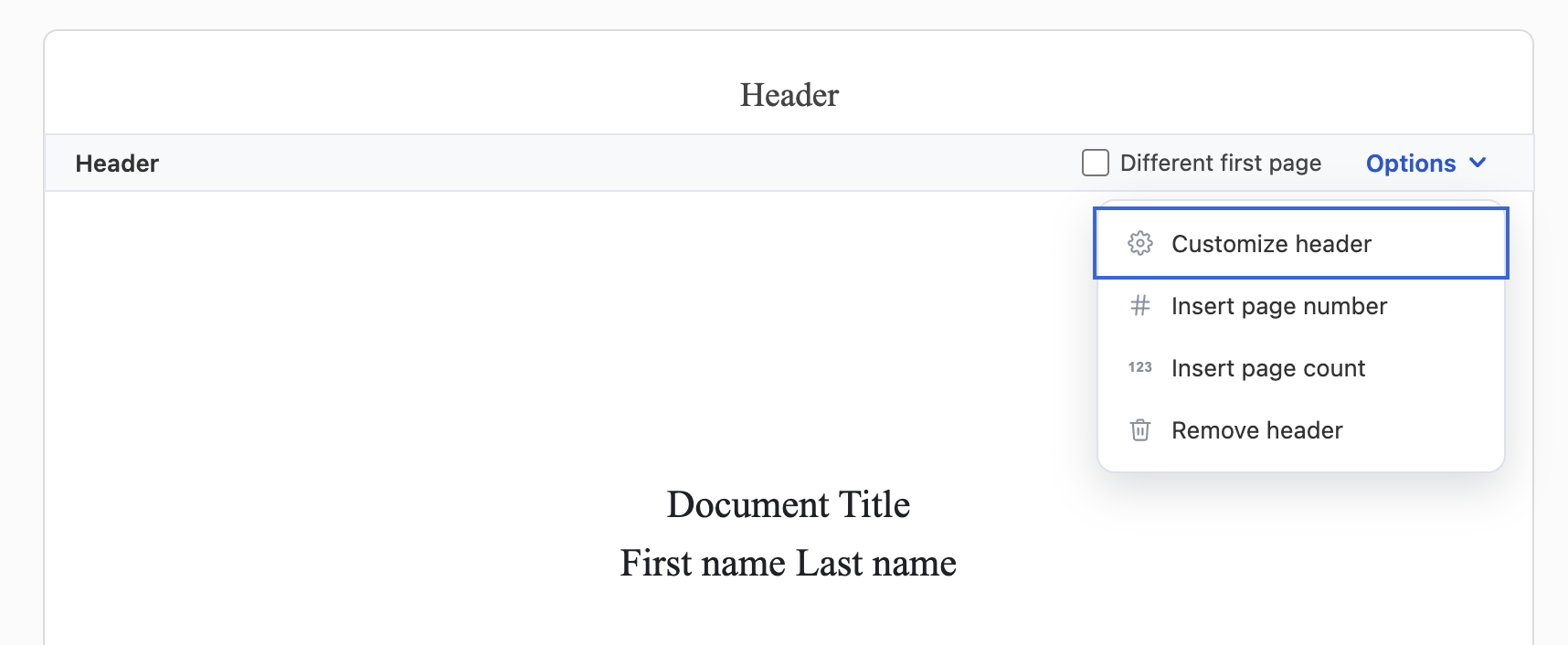
Margins match any formatting requirement. Open the document menu, choose page setup, and adjust margins for MLA, APA, or a custom course style.
Where to find it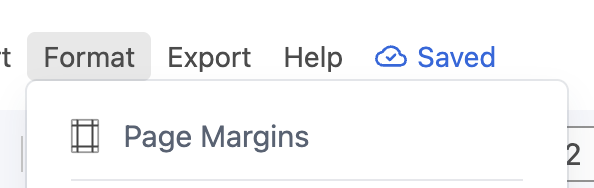
Under the Hood: Why Browser Pagination is So Hard
Beside building our real-time writing engine, this was the most technically challenging feature we have ever engineered—and we built it entirely from scratch.
If you ask software engineers who work on rich text editors, they will tell you that true browser pagination is one of the "big three" white whales of web development:
- Real-time collaborative state (CRDTs / Operational Transformation)
- Nested table layout engines
- True pagination with real-time page breaks, headers, and footers
Why is it so difficult? Modern DOM-based editor frameworks (like ProseMirror, Slate, or Lexical) render text into a single continuous block flow. When you force that continuous stream into fixed 8.5" × 11" pages, you run headfirst into browser limitations:
The fundamental issue is that HTML/CSS is inherently a continuous, fluid medium, not a fixed-canvas page medium. When you try to slice that continuous stream into discrete pages with repeating headers, footers, and page-break rules, you collide with major engineering walls around DOM measurement, cursor positioning, and true re-layouts.
To make this work seamlessly—without sacrificing live cursor responsiveness or real-time typing speed—we had to rewrite how document layout measurements are calculated on the fly.
How to Turn It On (Beta)
During the Beta period, True Page View is opt-in at the assignment level so instructors can decide when their students need a paginated layout.
- Go to your assignment settings in Rumidocs.
- Open Page Setup
- Toggle on Enable Page View (Beta).
Once enabled by an instructor, students opening that assignment will automatically see the paginated editor layout with full access to header, footer, and margin controls.
What’s Next?
We are gathering feedback from instructors and students during this Beta rollout to fine-tune layout engine performance across different browser environments.
Our goal is to make True Page View the default document experience across all of Rumidocs before the end of the year.
